Until recently, Large Language Models (LLMs) were too large and expensive to run locally. The only viable option was to integrate LLM capabilities via remote systems. A solution that introduces latency, network dependency, and sensitive data sending out from device.
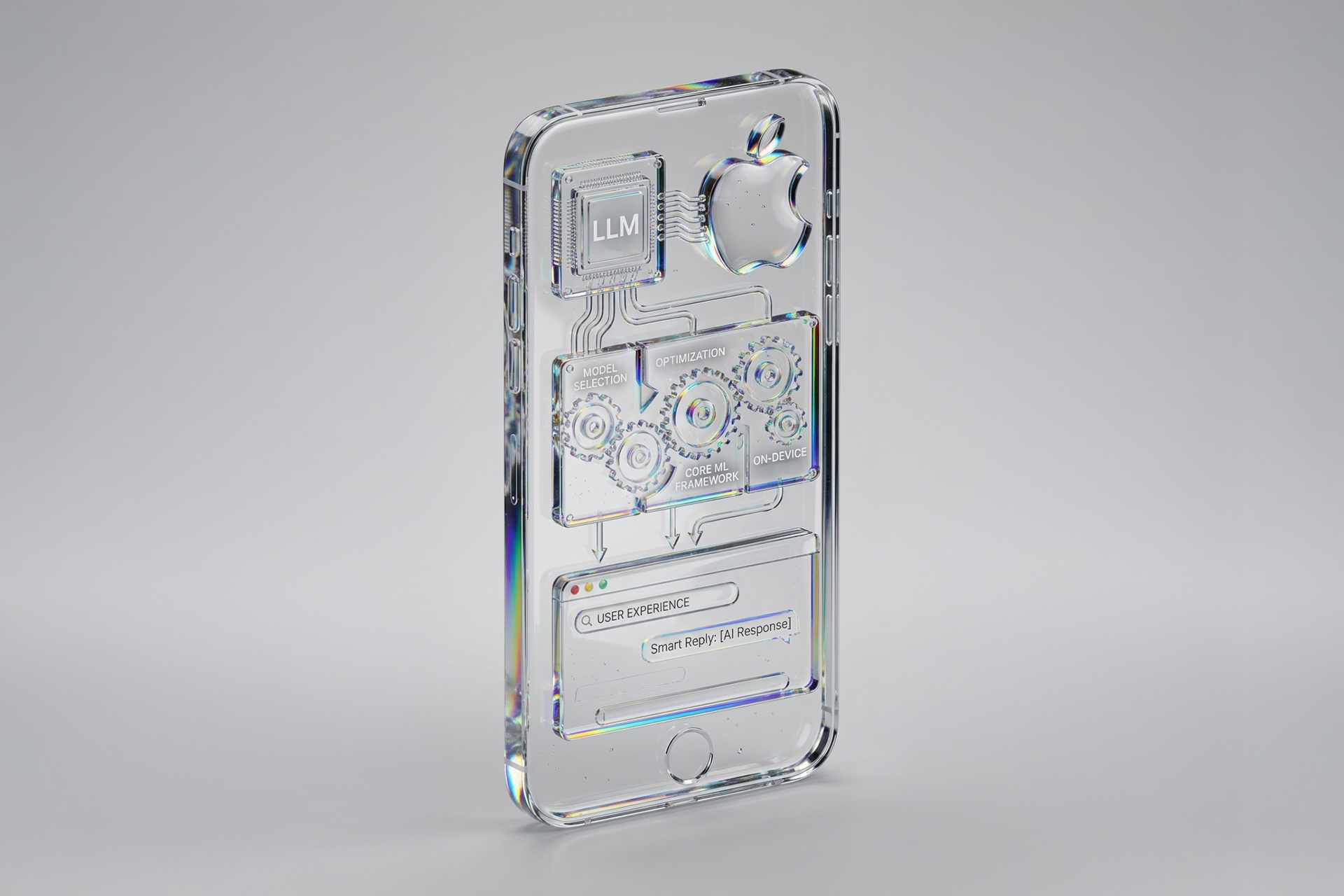
Thanks to recent hardware improvements in CoreML, and the introduction of Foundation Models framework for developers, a new scenario has opened. This new framework provides a high level API to interact with generative models integrated into Apple system. Modern Apple processors (M-series and A-series) now allow running these generative models locally on the device, ensuring fast performance and maintaining user privacy.
In this article, we will take a technical and conceptual look at integrating an LLM into an iOS project, with a focus on real-world production scenarios.
Choosing a compatible model
The first step in integrating an LLM model into an iOS is a deep exploration of a compatible model with Apple devices. That model should respect dimensions, architecture, and hardware’s requirements. In terms of model size, it’s not only about storage space, but also runtime memory (RAM) consumption. Models ranging from 1 and 3 billion parameters are the most realistic to run in iOS, as they maximize performance relative to their size.
The models available on repositories like Hugging Face and many others are typically trained using PyTorch or ONNX frameworks. These models must be converted to CoreML format using tools such as coremltools, which translate their operations into a representation optimized for iOS.
It’s also important to note that not all the models are directly compatible. Some layers may be unsupported by CoreML. Some operations used in the original architecture don’t exist in Apple’s system. For example, optimized attention mechanisms such as FlashAttention cannot be converted because they rely on fused GPU kernels that CoreML does not support. The same occurs with certain custom normalization layers or dynamic tensor operations that modify shapes at runtime, which CoreML cannot represent directly.
For this reason, the initial model evaluation is a critical phase to identify a model that can be perfectly adapted to the device. Many of these operations come from the custom PyTorch layers, which are pieces of code created by the authors, that CoreML doesn’t know how to interpret automatically. When this happens, those layers must be rewritten using supported operations, so the model can run correctly on Apple devices.
Translating the model into Apple’s format
Once a compatible model has been selected, the technical phase begins. During conversion process, the original model is translated from frameworks such as PyTorch into the CoreML format, adapting its internal operations they can run efficiently on iOS. This step involves transforming complex layers, reducing the model size, and ensuring that the operations can be executed efficiently on Neural Engine.
Model size optimization is critical. Using quantization, the model’s weight are converted into lighter numerical formats, as int8 or int4, instead of the high precision floating point values used during training. This means the model stores numbers using fewer bits, reducing the precision, but the overall behavior of the model remains almost identical for generative tasks.
The most common format for mobile deployment is int8, which offers a good balance between size and accuracy. In most cases, converting from fp16 to int8 is reliable and preserves the model’s effectiveness for generative tasks. Format like int4 are much more aggressive and can significantly degrade the model’s performance.
This reduction in model size is crucial for successful app distribution, helping to reduce load time and improve compatibility with mid-range devices. Once optimized, this process generates .mlpackage files with metadata describing its architecture and capabilities.
The final result is a CoreML package ready to be integrated into Xcode. Before including it in the project, it’s recommended to run it in an environment similar to an iOS devices, such as a Mac with an M-series chip, to verify that the model’s performance is acceptable.
Integration in Xcode
Once the model has been converted, the next step is to integrate it into Xcode, Apple’s development environment where iOS, iPadOS and macOS apps are built. When the model is added to the project, Xcode will automatically generates a Swift interface, making it easy and safe to use the model in your code.
When running a LLM, the model does not produce a entire response in a single step. Instead, it generates text token by token, predicting the next token based on both the user input and the tokens already generated. This requires calling the model repeatedly in a loop, where each newly generated token becomes part of the input for the next prediction. This iterative process continues until the model decides the response is complete.
Developers can specify which compute unit the model should run: CPU, GPU or the Apple Neural Engine. Neural Engine is a specialized component in modern Apple processors designed to accelerate machine learning operations, so this is the most efficient option, but not all components of a model may be compatible with it. In this case, CoreML runtime automatically distributes the execution across the available units, running each operation on the hardware best adapted for it.
Interaction and design
Developers must decide how users will interact with the model. It’s important to keep in mind that LLM models handle ambiguous instructions, conversational context, and potentially long output, so the user experience depends on how context is managed.
The user interface should be designed to receive input incrementally, handle interruptions, reformulations, and provide mechanisms for correction. The developer also must determine how the conversation state is managed, if the information is stored or reset with each new query.
Including a large model directly in the app bundle may not be viable. Many apps download the model after the initial installation, keeping the app lightweight and allowing updates without needing to release a new version on the App Store.
Model Maintenance
The model is a living part of the project, evolving rapidly. Its maintenance is essential to ensure it remains fully functional over time.
Each model update may require new conversions, adjustments, or structural modifications. Security plays a key role in this process. Every downloaded model should be verified using digital signatures from trusted servers. This step guarantees the integrity of the LLM that forms part of the application.
Conclusion
The development of applications integrating on-device LLMs marks the beginning of the a new generation of apps, capable of reasoning, generating content, and assisting users directly from their own devices. Bringing these models into iOS devices requires a new perspective. Developers must translate the original models built in PyTorch into CoreML, optimize their size through quantization and design interfaces that support conversational interactions rather than simple predictions.
The introduction of the Foundation Models framework is not intended to replace CoreML. Instead, it serves as a tool to simplify integration with Apple Intelligence and enables developers to adapt the apps to the system’s capabilities.
This shift redefines the developer’s role, moving from the integration of static models to working with complex, high-performance generative systems that can adapt in real time. It also offers companies the opportunity to redefine existing products and create new experiences with features that previously required much more complex infrastructure.
The future of mobile development points towards smarter, more autonomous, and privacy-focused applications, where the model lives directly on the user’s device, shaped by its own capabilities, and by the way it is converted, optimized, and experienced through interaction design.